
Description
# NAM Legal Manager — Complete Feature List
**Dashboard**
– Cross-matter view of every deadline due in the next 30 days, pulled from every matter at once
– Critical-priority deadlines visually flagged
**Matters** (the case file itself — every other module ties back to a matter)
– Case/matter number (must be unique — duplicates are blocked), internal matter ID, client billing ID, court case/docket number
– Case name, matter description, open/closed dates
– Practice area, matter subtype
– Lead attorney, originating attorney, paralegal, support staff
– Status (Active/Pending/Suspended/Closed) and stage (Intake through Post-Judgment)
– Export a one-page Case Summary PDF (matter info, jurisdiction, parties, upcoming deadlines) for any matter
**Jurisdiction & Forum**
– Court name, level, division; state/county/district/municipality
– Judge, clerk, courtroom/department number
– E-filing portal URL, login ID, PIN, service email list
– Governing statutes, federal rules, local rules links
**Legal Research**
– Citation, source, title, publication date
– Main legal issue, holding/rule of law, key passages/quotes
– Favorable/adverse flag, relevance score (1–5), internal analysis
– Shepard’s/KeyCite verification status and date verified
– Researcher name, date researched, search string, database used
**Dates & Docketing**
– Event type (SOL, hearing, deposition, deadline, etc.), name, date/time
– SOL warning threshold, location/virtual link, assigned staff, priority
– Time zone, calendar sync status, notes
**Parties & Contacts**
– Role (client, opposing party/counsel, co-counsel, witness, expert, etc.)
– Name, business entity type, law firm/organization, contact details
– Subject matter expertise, deposition status, notes
**Evidence & Documents**
– Document name, category, date received, source, current location, custodian
– Bates range, production date, confidentiality status
– Version number, last modified by/date
– Key takeaways, associated task, linked legal issue, file path reference
**Billing & Trust**
– Time entries (date, staff, description, hours, rate, amount — amounts can’t go negative by mistake)
– Expenses, trust deposits/disbursements, invoice entries
– Trust running balance (allowed to go negative on purpose — a real warning sign, not blocked)
– Task Code, Activity Code, Expense Code — real dropdowns from the official UTBMS standard (see below)
– **Export Invoice (PDF)** — formatted client invoice with time/expense subtotals and a grand total
– **Export LEDES File** — standards-compliant LEDES 1998B electronic billing file
– **UTBMS Code Reference** — searchable browser of the full official code list with descriptions
**Conflict Check**
– Search every matter’s parties by name to catch conflicts of interest before taking a new case
**Drafting** (built-in word processor)
– Bold/italic/underline, font family/size, alignment, bullet/numbered lists
– Documents tied to a specific matter; save, reopen, keep editing
– Optional auto-inserted case caption block (generic starting point — not a court-compliant template)
– Export any document as PDF
– Insert Snippet button pulls in content from the library below
**Snippet Library**
– Reusable content (headers, jurisdiction-specific boilerplate, signature blocks, certificates of service, etc.)
– Not tied to any one matter — shared across the whole app
– Categorized and searchable when inserting into a document
## UTBMS Billing Codes
– Litigation Task Codes: the original 1997 ABA set (29 codes, 5 phases) — still the most widely used version, no later revision exists
– Activity Codes: both the 1997 original (11 codes) and the 2013 LEDES Oversight Committee revision (28 codes), offered side by side and labeled by year
– Expense Codes: both the 1997 original (24 “E”-codes) and the 2013 revision (68 “X”-codes, far more granular), also side by side
– All sourced directly from the official ABA/LEDES Oversight Committee publications
## Security & Data Protection
– Database encrypted at rest (SQLCipher) — the file is unreadable without your password, even if copied off the machine
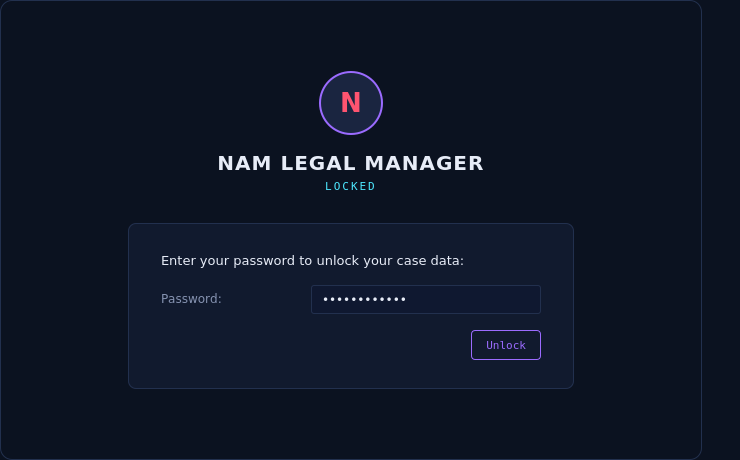
– Password required to open the app (set on first run, entered every time after)
– Change Password from within the app
– Automatic one-time migration path if upgrading from an older unencrypted version (original file kept as a backup, never deleted)
– Backup Data / Restore Backup built into the app (Data menu) — restoring always saves your current data as a safety copy first
– Matter Number uniqueness enforced; billing amounts can’t go negative by accident
## Branding & Look
– Custom dark “high-tech” theme — near-black surfaces, cyan/violet accents, monospace type for data
Your use of this software means you agree to the following terms found at https://nowadmedia.com/terms-of-service/